Ship fast. Stay stable. That's the goal in 2026—and feature flags make it possible.
What Are Feature Flags?
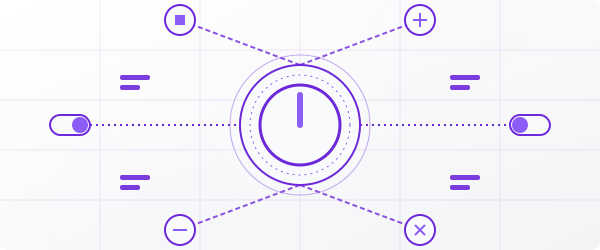
A feature flag is a switch that lets you turn features on or off without deploying code.
Think of it as a remote control for your product.
What you can do:
- Release features only to premium customers
- A/B test with 5% of users
- Kill a broken feature instantly—no rollback needed
Feature flags separate deploying code from releasing features. You control what users see and when.
Why Use Feature Flags?
1. Lower Risk
Deploy to production without exposing features to everyone.
Example: You built a new checkout. Release to 10% first. If it works, scale up. If it breaks, disable it in one click.
2. Ship Faster
Your team can merge daily—even unfinished work. The code is live but hidden behind a flag.
Result: Shorter cycles. Faster iterations. No waiting for "release day."
3. Test in Production
Staging never matches reality. Feature flags let you test with real users and real data.
4. Personalize by Segment
Show different features to different users:
- By region
- By pricing plan
- By beta status
- By team (internal dogfooding)
Progressive Rollout: The Game-Changer
Don't release to everyone at once. Control the percentage.
How It Works
| Phase | Users | Action |
|---|---|---|
| 1 | 5% | Monitor metrics |
| 2 | 25% | Check for issues |
| 3 | 50% | Validate at scale |
| 4 | 100% | Full release |
Why It Matters
- Smaller blast radius — Bugs hit 5%, not 100%
- Real performance data — Catch issues before they spread
- Team confidence — Ship knowing you have a safety net
Progressive rollout turns risky releases into controlled experiments.
Common Use Cases
| Use Case | How Flags Help |
|---|---|
| UI redesign | Let users switch between old/new versions |
| Performance optimization | Validate improvements with real traffic |
| Beta features | Test ideas with a small group first |
| Traffic spikes | Disable non-critical features under load |
| Marketing launches | Activate exactly when the campaign goes live |
Mistakes to Avoid
Stale flags — Remove flags once features are permanent. Old flags = technical debt.
Too many flags — Not every if needs a flag. Use them for releases, not business logic.
No monitoring — Always track metrics when you flip a flag.
Get Started
Feature flags aren't optional anymore. They're how modern teams:
- Deploy safely
- Ship faster
- Experiment freely
- Personalize at scale
Ready to try? Start with Flagster—it's free and takes minutes to set up.